
A public booking page your customers can use today, a master calendar you watch from the dashboard, and a service catalog you control. No third-party scheduler. No double-booking.
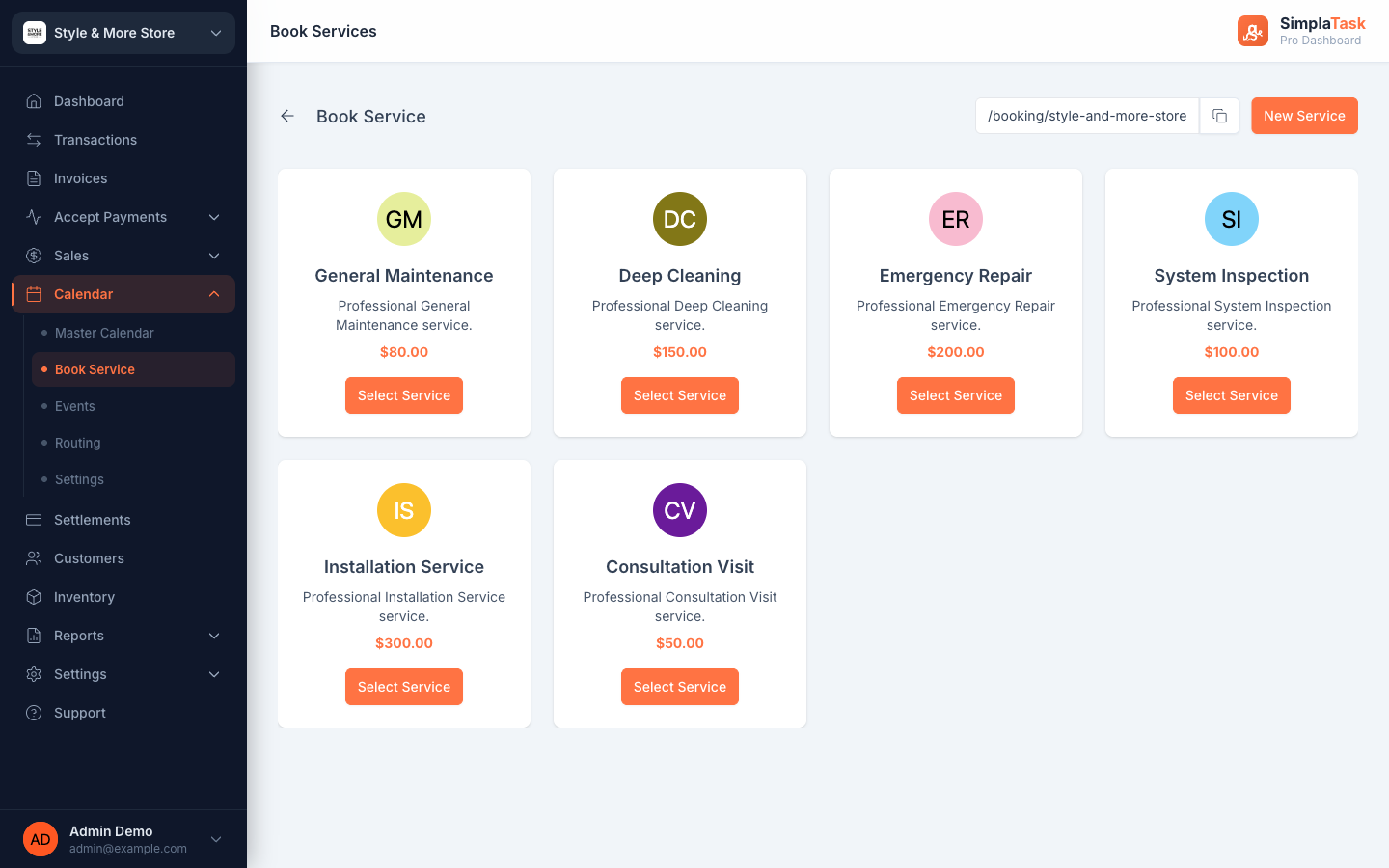
Three pieces work together: the public booking page your customers visit, the master calendar you watch internally, and the service catalog you set up once.
Each merchant gets a hosted booking URL (e.g. /booking/your-business) listing every service, price, and a Select Service button. Share it on Instagram, Google, or your site.
Month, week, day, or list—every booking lands here. See upcoming events on the side panel, today highlighted in brand orange, navigate with one click.
Define each service once—name, description, price. Tag each with a colored avatar so they’re easy to spot on the calendar. Add Events and Routing rules when you’re ready.
Each service gets its own card—photo, description, price, and a “Select Service” button. Customers pick a service, check out, and the booking lands on your master calendar.
Privates, group classes, and belt tests on one calendar with per-instructor routing.
Wash, full groom, and emergency visits. Customers book the slot that fits, you see it on the master calendar.
Maintenance, deep cleaning, emergency repair, system inspection—match the service to the tech with Routing rules.
Consultations, follow-ups, and discovery calls. Use the booking URL on every email signature.
Set up a service, share your booking URL, and let customers self-serve. The first appointment hits the calendar before the day is over.